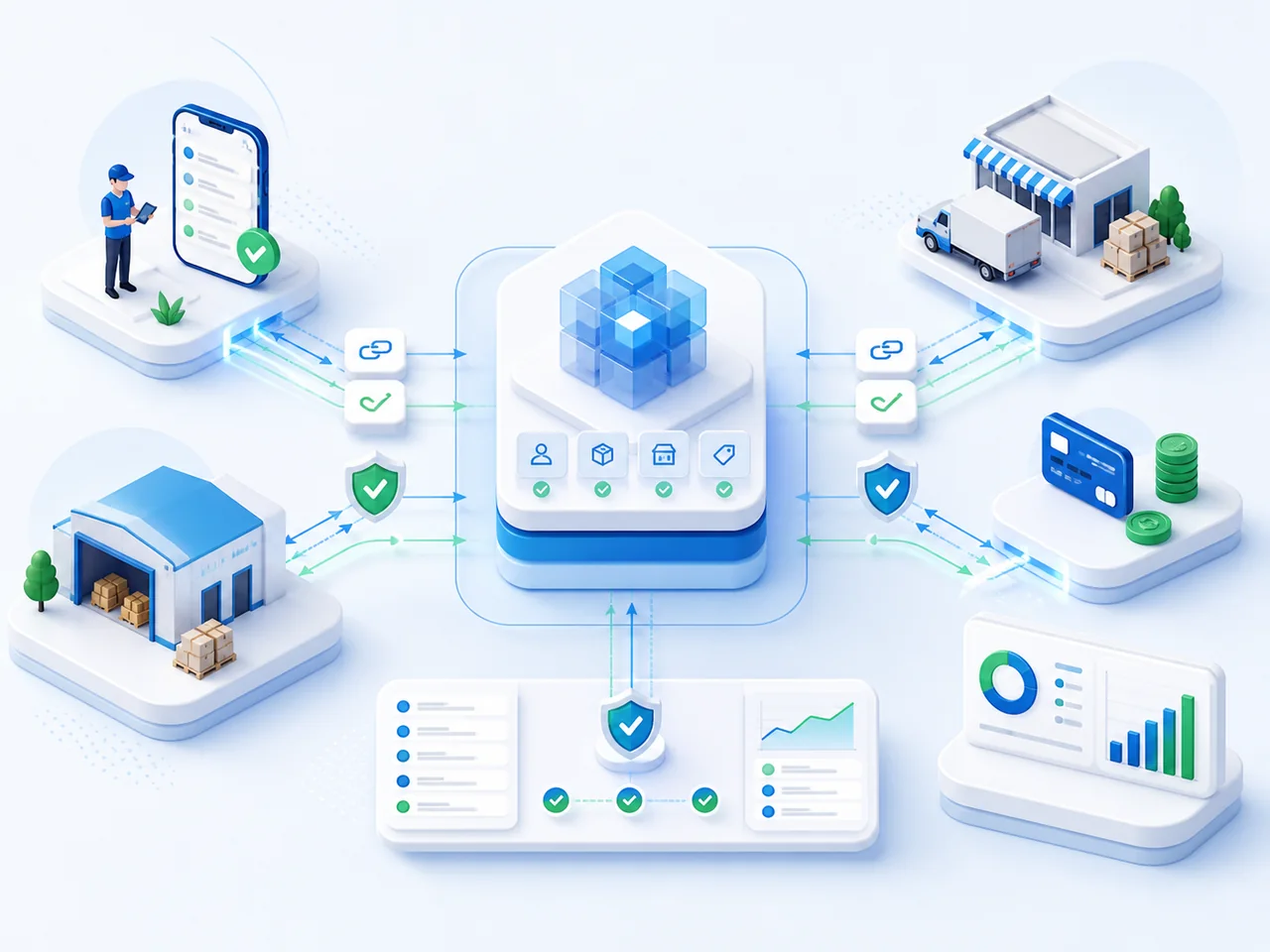
Connect field sales with your ERP records. Exchange orders, stock, prices and payments under agreed rules to reduce manual entry. Track the results and investigate synchronization errors.
Start with one process where data is transferred manually. Identify the Smartup product, source system and recipient. The connection approach depends on the system version, available interfaces and required data.
01
Existing exchange
We check the system version and configuration, required data and access conditions. If the exchange fits, we identify the setup needed.
02
Exchange adaptation
If fields, statuses or business rules differ, we identify which parts of the existing solution can be reused and which need changing.
03
New exchange
If no suitable solution exists, we review interfaces with your IT team or contractor. We confirm feasibility before estimating the work.
What the assessment clarifies
The data and its direction, reusable components, required changes and responsibilities. If information is missing for a timeline or cost estimate, we identify what still needs clarification.
Choose an architecture, data type or exchange stage to explore its participants and rules. These diagrams illustrate an integration approach; the flows are defined for your project.
TWO OPERATING MODELS
Keep your ERP or use the Smartup core
The diagrams below show two SFA and DMS operating models: with an existing ERP or the Smartup ERP core. For FIN, B2B Marketplace and POS, we assess the required data and available connections separately. Each project defines system responsibilities and how to verify the result.
ERPSMARTUPFIELD EXECUTIONEXTERNAL SERVICES
ERP + SMARTUP
Keep the existing ERP
The ERP retains agreed master-data and accounting ownership while Smartup manages field and distribution execution.
System role
ERP - agreed master data and accounting records; Smartup - execution and operational statuses.
What moves
Reference data and restrictions enter Smartup; confirmed documents and execution facts return to the agreed consumer.
Decision required
Name the system of record, direction, external ID, final status and reconciliation point for every flow.
SMARTUP ERP CORE
Include the Smartup ERP core
Smartup connects the agreed accounting scope with distribution execution; external exchange remains only where the process requires it.
System role
The Smartup ERP core and operational modules work within one agreed data and accountability model.
What moves
Only approved master data, documents and statuses move to external consumers and services.
Decision required
Define the core boundary, country requirements, external consumers and acceptance criteria.
SYSTEM-OF-RECORD MAP
A clear source for each type of data
For each customer, outlet, SKU, commercial rule and execution fact, the project names a system of record. Other systems receive the agreed representation instead of creating a parallel version without a conflict rule.
OUTLET · SYSTEM OF RECORD
Customer and outlet
System of record
Approved master system for customer and contractual relationships
What Smartup receives
External ID, address, channel, territory, status and contractual relationship
Where it is corrected
In the source system; Smartup receives the confirmed change
Who uses the result
Routes, sales, DMS, delivery, Finance & AR and analytics
SKU · SYSTEM OF RECORD
Product and pack
System of record
Approved product master
What Smartup receives
Code, unit of measure, pack, category, status and required attributes
Where it is corrected
In the product master, followed by controlled synchronization
Who uses the result
Ordering, warehouse, shelf execution, promotions, marking and reporting
RULE · SYSTEM OF RECORD
Price, contract and credit rule
System of record
System that approves the commercial condition
What Smartup receives
Account, assortment, validity period, price, limit and permitted exceptions
Where it is corrected
With the commercial-rule owner before the rule is applied to an operation
Who uses the result
B2B Ordering, SFA, shipment and Finance & AR
STOCK · SYSTEM OF RECORD
Stock and availability
System of record
Agreed warehouse or accounting source for each stock location
What Smartup receives
Location, SKU, quantity, reservation, batch and freshness timestamp
Where it is corrected
In the system that posts the confirmed inventory movement
Who uses the result
Ordering, allocation, delivery and availability analytics
FACT · SYSTEM OF RECORD
Completed operations
System of record
Smartup for confirmed field and distribution execution events
What Smartup receives
Route, task, order, visit, delivery, payment and completion evidence
Where it is corrected
Through a governed correction or process replay that preserves history
Who uses the result
Existing ERP, BI, financial control and operational management
A CONTRACT FOR EVERY FLOW
What moves and how it is validated
The contract defines direction, identity, required fields, validation, statuses and the exception owner. Frequency and transport alone do not make a flow reliable.
EXCHANGE RULESID · FIELDS · VALIDATION · STATUS · OWNER
MDM
Reference data
Direction
From the system of record to approved consumers
Identity
External ID and matching rule
Validation
Required fields, uniqueness, relationships and active status
Completion status
Record accepted or rejected with a specific reason
Exception owner
Owner of the source master record
PRICE
Prices and terms
Direction
From the approving system to the execution channel
Identity
Account, SKU, condition and validity period
Validation
Overlapping periods, currency, pack and applicability
Completion status
Condition available to the correct role and effective date
Exception owner
Commercial owner of the rule
STOCK
Stock and reservations
Direction
From the stock owner to ordering and analytics
Identity
Location, SKU, batch and snapshot timestamp
Validation
Permitted quantity range, units of measure and update sequence
Completion status
Current snapshot accepted and the previous one superseded
Exception owner
Owner of inventory accounting
ORDER
Orders and statuses
Direction
From Smartup to accounting or fulfilment and back
Identity
Stable external document ID and version
Validation
Customer, lines, price, availability and permitted status transition
Completion status
Document reaches the agreed final status
Exception owner
Owner of the order process
PAY
Payments and reconciliation
Direction
Between the financial system of record and the operating process
Identity
Payer, document, amount, currency and external ID
Validation
Obligation link, amount and allocation rule
Completion status
Fact accepted, allocated or routed for review
Exception owner
Financial data owner
END-TO-END TRACEABILITY
Track documents from source to reconciliation
Every stage retains the external ID, status, timestamp and reason. The team can see where the document is and which system or role owns the next action.
01 · Source
What the stage receives
Approved entity or document
What it records
External ID, version and creation timestamp
Where it hands off
To contract validation
02 · Validation
What the stage receives
Fields, relationships and current status
What it records
Acceptance or a specific rejection reason
Where it hands off
To execution or the exception queue
03 · Execution
What the stage receives
Accepted document and active constraints
What it records
Operational steps, statuses and evidence
Where it hands off
To fact confirmation
04 · Status return
What the stage receives
Confirmed order, visit, delivery or payment
What it records
Source ID, final status and fact reference
Where it hands off
To the approved consumer
05 · Reconciliation
What the stage receives
Statuses from both sides and a control sample
What it records
Completed flow or unresolved exception
Where it hands off
To monitoring and the accountable owner
MAKE ERRORS OWNED WORK
Error review and resending
The log distinguishes a technical failure from a data error. Safe replay uses the same external ID and does not replace correction at the source with endless resubmission.
ERROR REVIEWCause → owner → correction → replay
REJECT · Rejected
What the team sees
A field, relationship or status transition failed the contract
Next action
Record the reason and stop downstream application
Safety rule
Do not turn a rejection into a silent default value
OWNER · Owner assigned
What the team sees
The source system and accountable role are known
Next action
Send the record with its context and expected correction
Safety rule
Do not edit master data in a consuming system without an approved rule
FIX · Source corrected
What the team sees
The new record version passes required validation
Next action
Prepare a controlled replay with the same external ID
Safety rule
Preserve the original error and change history
REPLAY · Replay accepted
What the team sees
The consumer confirms acceptance or the final status
Next action
Close the exception and include it in flow metrics
Safety rule
One fact must not create a second document
CONFIRMED INTEGRATION CATALOGUE
What we check before launch
Smartup’s product catalogue includes 30+ confirmed integrations. For your system, we separately check whether an exchange fits and agree on acceptance criteria.
30+integrations in the product catalogue
01The source, recipient and responsible teams are agreed for each flow
02Test records pass field, ID and status checks
03Responsible teams can see delays and rejections and know how to investigate
04Resending is tested to confirm it does not create a second document
What we confirm for your projectThe 30+ confirmed integration catalogue does not mean a universal connector to any system. Availability, interfaces, directions, frequency, data scope, accountability and acceptance criteria are confirmed after discovery for the selected architecture.
For the architecture decision
Questions before connecting
Agree system capabilities, exchange rules and acceptance criteria before launch.
Do we need to replace our ERP?
For SFA and DMS, keeping the existing ERP is one of two operating models. It retains its agreed role and exchanges data with Smartup. Alternatively, the native Smartup ERP core can cover selected accounting operations. This is not a required setup for every product: connections for FIN, B2B Marketplace and POS are assessed separately.
How can we check whether our system can connect?
Name the Smartup product, the other system and one flow: what needs to move, from where and to where. Share the version and configuration if known; we can clarify details with the person responsible for the system. We check interfaces, fields and constraints. An exchange in the catalogue still needs to be checked against your version and setup.
What happens if exchange stops or a record is rejected?
Distinguish a technical failure from a data error. The log helps identify the cause and owner. After correction, replay uses the same ID under agreed rules; duplicate prevention is tested during acceptance.
What determines cost and timing?
First, we check whether we can configure an existing exchange, need to adapt it, or need to build a new one. The estimate needs interfaces, data scope and quality, exchange frequency and acceptance criteria. If changes to an external system or paid access to a third-party service are needed, responsibilities and costs are agreed separately. Timing and price are set once the work is defined.
PREPARING TO LAUNCH
Where to start with integration
For an initial conversation, start with the Smartup product, the other system and one process. A complete specification or full data export is not required. These inputs help identify the technical details needed for an estimate.
01
The Smartup product and the other system. Version and configuration, if known. Where the data to be exchanged is managed.
02
One flow: what to transfer, from where, to where and how often. How to verify the result. An anonymized sample record or document, if available.
03
Who is responsible for each system, who can provide access and who will verify the result. Documentation and known constraints, if available.
Let’s review your data flows
Tell us which Smartup product and system you need to connect. Describe one process and share the system version if known. In the initial conversation, we will clarify whether an existing exchange fits, what needs adapting and which inputs are needed for an estimate.