



Practical guide
What is DMS (Distributor Management System)
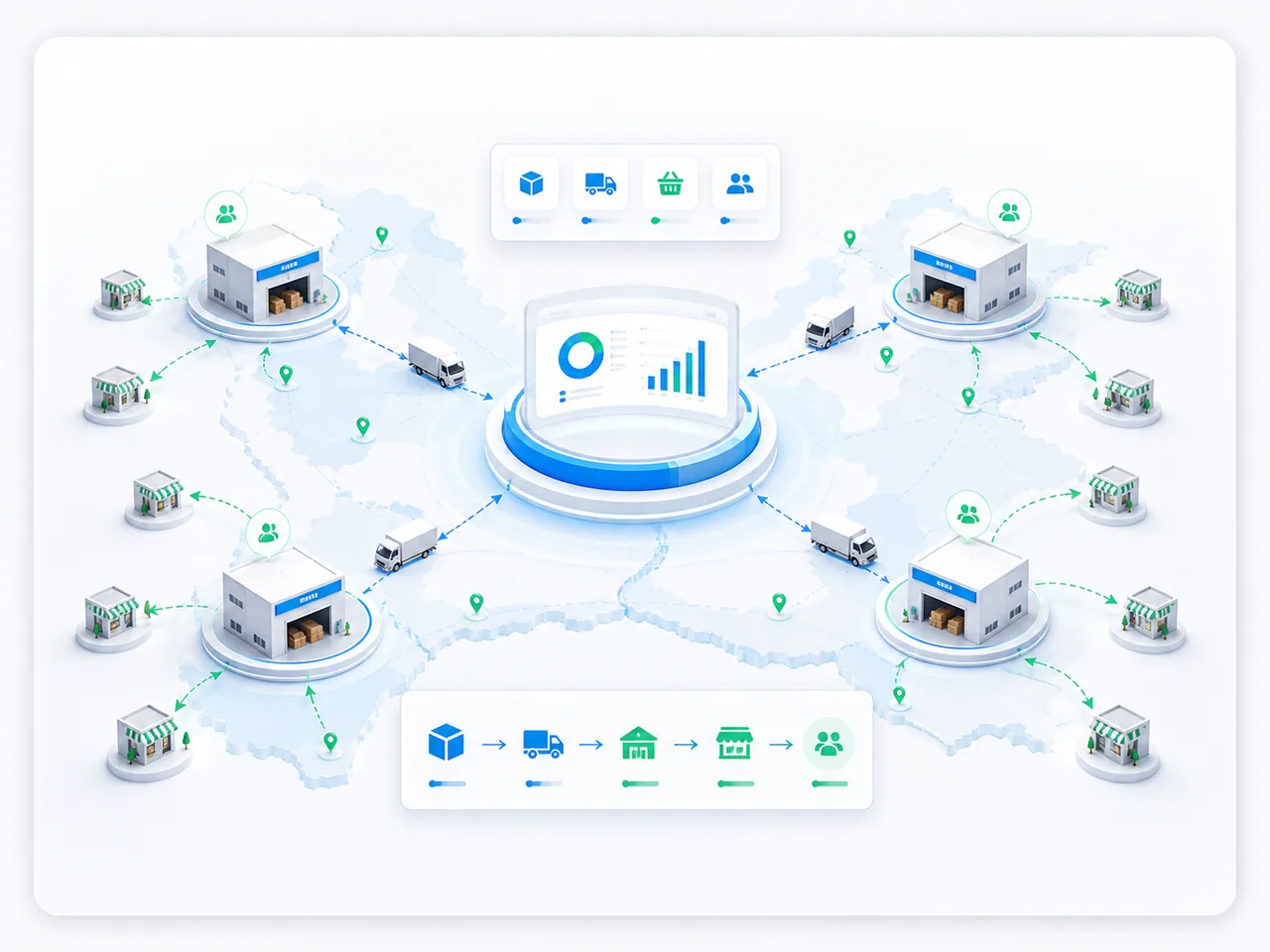
DMS (Distributor Management System) is a class of systems for managing the movement of goods after they leave the manufacturer: the distributor’s warehouse, shipments to retail outlets, stock balances, settlements with customers and reporting on secondary sales.
- SFA: field sales automation
- Warehouse Operations and Inventory Management
- Analytics & BI for Distribution
In detail
Distribution leaders and manufacturers consider DMS to connect partner sales, stock and receivables. In this article, a primary sale runs from manufacturer to distributor; a secondary sale runs from distributor to outlet. It is not yet a sale to the end consumer: that requires separate retail data. The term sell-out is used in different ways, so name the parties to the transaction in the report.
For a manufacturer, DMS helps bring together the agreed data from its partner network. For a distributor, it connects its own orders, warehouse operations, shipments and receivables. Coverage depends on connected partners, the data they share and its freshness; a missing record is not evidence that no sale occurred.
SFA and DMS can overlap in function and belong to one platform. SFA connects field-team activities to visits; DMS connects goods movements and receivables. Data can flow in both directions, such as orders from the field application and stock information from the accounting system. Define the source and exchange direction for each type of data.
A consolidated report needs consistent products, outlets, units of measure, period and sales-recognition rules. Distinguish the customer account, delivery address and individual outlet by their identifiers. A matching name or address alone is not a reason to merge records. Account for returns, cancellations and transfers between your own warehouses separately from customer sales.
How it is applied
- Warehouse shipment and receipt by an outlet are separate events. Link the order, shipment and receipt confirmation where the process includes it. Assign an owner and reason to a quantity discrepancy; a shipment record alone does not confirm receipt of the entire consignment.
- For an order, show the available quantity, reservations and update time. If a partner has not supplied data or an exchange has failed, mark the data as incomplete or stale. Do not substitute zero sales or zero stock for an unknown value.
- If batch and expiry tracking are required, check that the source system holds those data. Define which quantities can be ordered and which are reserved or unavailable for sale. These are requirements for the chosen process, not universal features of every DMS.
- Assess replenishment against sales, available stock and orders already placed. A transfer between your own warehouses does not add a customer sale. When a document is sent again, check its identifier and version to avoid counting one operation twice.
- Illustrative example: a customer places an order, the distributor ships the goods and then accepts a partial return. For a report defined as “shipments minus returns in the period”, take recorded shipment quantities and subtract returns assigned to that period. The order itself and internal warehouse transfers do not add a sale. This report shows secondary sales under the chosen rule, not purchases by end consumers.
Practical checklist
- Task: visibility into partner sales or management of your own warehouses and branches. Describe one process where a decision currently lacks the required data.
- Systems: the names and versions of ERP, WMS and other sources. Identify the system of record for products, customers and documents.
- Data: anonymised order, shipment, receipt, return and stock examples with identifiers, statuses and update times. Specify units of measure and the rule for assigning a return to a period.
- Exchange: direction, required frequency, acceptable delay and partner access. Identify data that must not be disclosed to other participants.
- Validation: a selected partner or warehouse, an owner and the expected result. Check partial receipt, a return, a repeated document transmission and missing fresh data. Start with one comparable scenario.
Scope and limits
DMS does not automatically replace ERP or WMS, or require access to a partner’s entire operating environment. Data sources, permissions, functions, exchange frequency and acceptance criteria depend on the chosen architecture and are agreed for the project.